the site does not work on phones
Most of your visitors arrive on a phone. If things shift or become unreadable there, that is exactly where you lose them.
Website relaunch: modernise your existing site
Not every website needs replacing. The problem often sits in loading time, structure or the mobile layout, not in the content. I look at what you have and tell you what is worth keeping.
The first conversation is free and without obligation.
↗Preserve what works
↗Improve with purpose
↗Verify the result
Your starting point
A good fit if …
Most of your visitors arrive on a phone. If things shift or become unreadable there, that is exactly where you lose them.
Slow pages lose visitors before the first line is read, and Google factors loading time into its ranking.
The content is fine, but the design visibly belongs to another era and no longer matches what you offer today.
01What I look at
First understand the friction. Then focus on the changes that matter to your visitors.
Navigation: do visitors find what they came for?
Loading time and the metrics Google actually measures
Rendering on real devices, not just a narrowed browser window
Technical SEO: titles, meta data, heading structure, structured data, sitemap
Whether search engines and link previews can see the content at all
Accessibility basics: contrast, keyboard operation, alternative text
Whether the existing technical base is sound or becoming a liability
Work example
Corporate Website
Find properties, explore the details and enquire directly.
My contribution to this project
The entire design, the complete technical implementation and the release, including hosting.
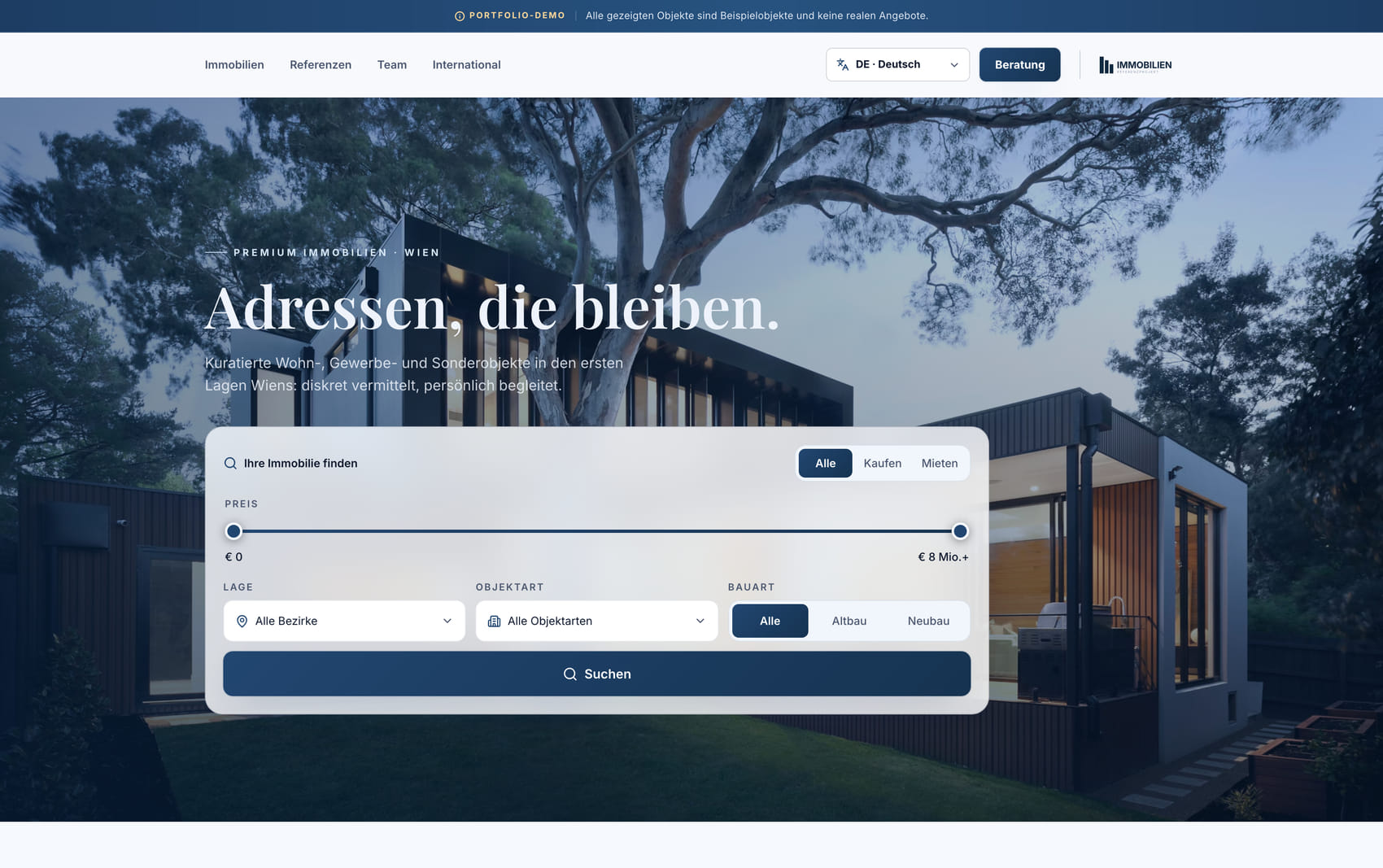
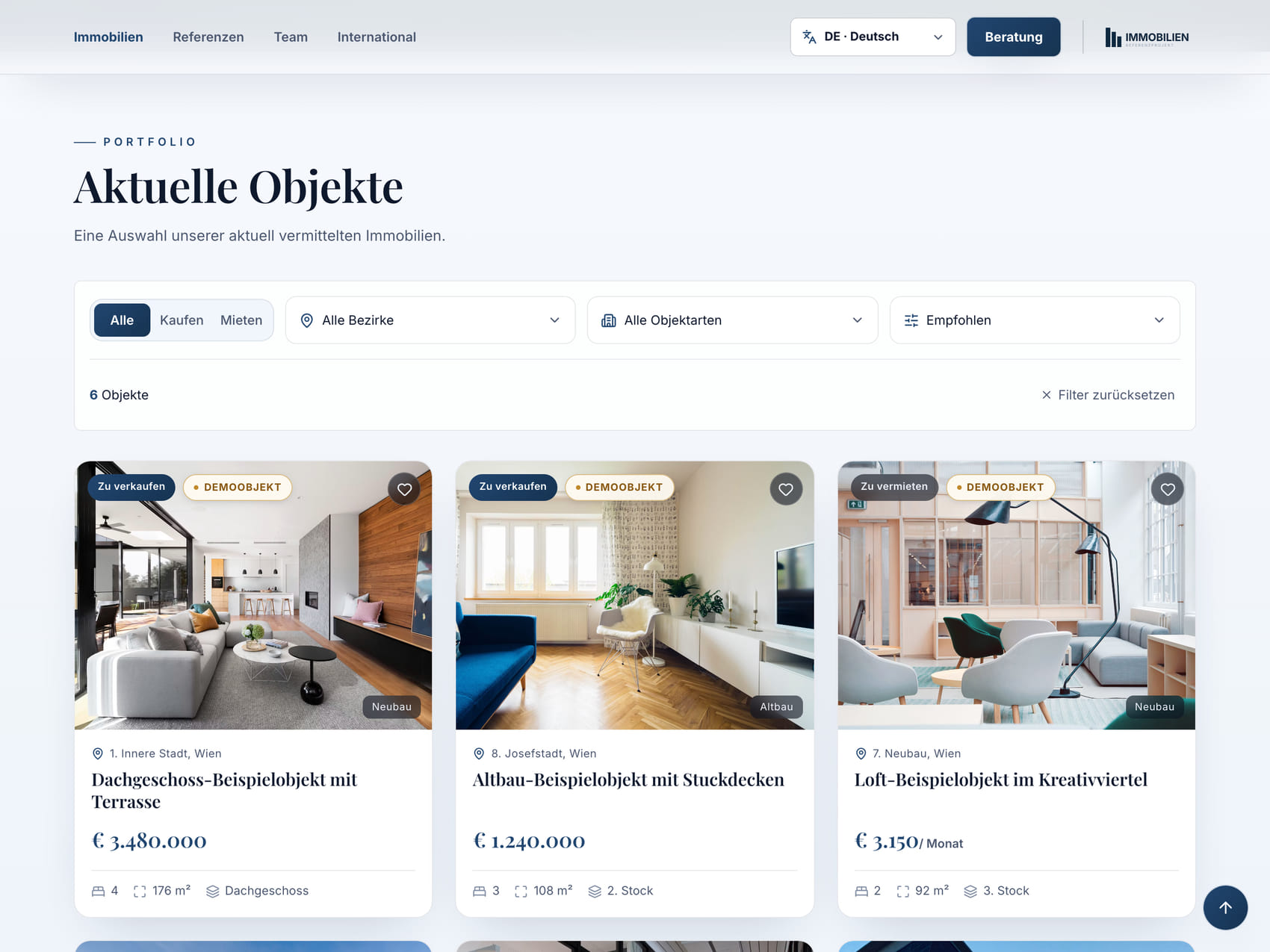
Filters, property cards and sorting organise a broad offering in a calm, understandable interface.
Composition and search logic were reorganised for smaller views rather than simply stacked.
02Working together
Every change starts with an assessment. Together we decide what your website actually needs.
Discuss a projectFirst conversation
Free and without obligation, about 30 minutes. You send me the address, I tell you what stands out and whether a rebuild is worth it at all.
The first paid step. I go through your website systematically and write down what I find, sorted by impact, not by how much work it would be for me.
Together we work out what can be repaired and where a rebuild is the honest answer. Sometimes it is less than you feared.
The most effective items first, so the improvement shows early rather than at the end of a long project.
After the work, results are measured rather than assumed. You see in plain numbers what changed.
03Good to know
Something else on your mind? Your project does not have to fit a common question. Let us talk about it.
Ask me directlyOften not. If the content and structure hold up, loading time, layout and technology can be improved without starting over. That is decided after the assessment, and I will tell you so even when the honest answer means the smaller job for me.
That is the real risk in a relaunch, and it almost always comes from changed addresses without redirects. Existing URLs are therefore kept or properly redirected, and the pages that already rank are recorded beforehand rather than missed afterwards.
That depends on what your site is built on. Send me the address, I will look and come back with a clear answer, including if that answer is that someone else fits better.
You write or call me directly. No ticket system, no queue. Before the first change I back up the existing state, so there is always a way back. Faults caused by my work are fixed under the statutory warranty. Security-critical parts such as login and data storage deliberately run on established providers rather than self-built solutions, because with customer data experience matters more than building it yourself.
The main question is which content and technical components can be retained and which need rebuilding. Data migration, integrations and new features also affect the scope. After the assessment, you receive a fixed price for the clearly defined work. Part of it is due when you place the order, the rest after handover.
The conversation does not. About 30 minutes, free and without obligation. In it I tell you what stands out to me about your website at first glance and which direction makes sense. The detailed assessment, which produces a reliable plan and a fixed price, is the first paid step of the project.
04Contact
Send me the address and a short note on what bothers you. The first conversation is free and without obligation, and afterwards you know where you stand.
I will get back to you personally to arrange a free, no-obligation first conversation.
A different starting point?